Gleb Melnikov создал AI-видео под названием «HOUSE OF DREAMS», которое представляет волшебный дом, наполненный фантазией и сюрреалистической архитектурой. Проект включает в себя захватывающее путешествие по сказочным интерьерам с яркими красками и текучими формами, создающими атмосферу грёз.
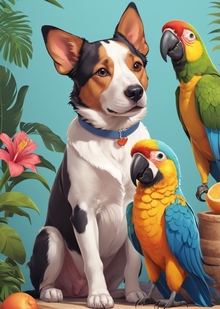
Екатерина Левина провела исследование данных о приюте для животных, используя открытую базу с Kaggle.com. В проекте была создана новая категория, определяющая возраст животного как взрослое (большое) или нет.
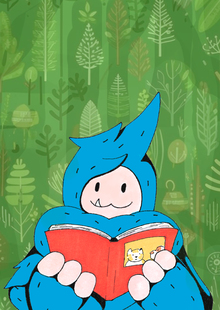
Анастасия Павловская создала мерч с изображениями йети в виде лесных паттернов, игрушек и пиццы для печати на ткани. Проект включает три дизайна, созданные с использованием ИИ Kandinsky 3.1 и улучшенных с помощью технологии Upscale.
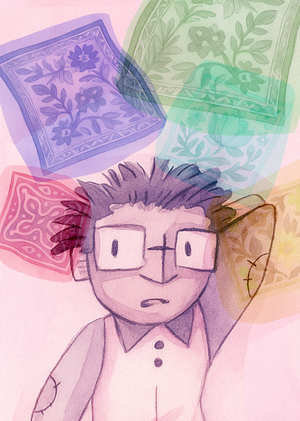
Виктория Балашова создала серию постов с описаниями промптов для генерации ретро-иллюстраций на тему детских велосипедов, дискет и стеклянных банок для текстильного дизайна. Каждый пост включает точное описание стиля, цветовой палитры и техники, подходящей для векторного или ручного рисунка, с указанием нейросети DALL·E 3.
We use cookies to improve the operation of the HSE website and to enhance its usability. More detailed information on the use of cookies can be fou...
Show more
Press space bar to start a drag.
When dragging you can use the arrow keys to move the item around and escape to cancel.
Some screen readers may require you to be in focus mode or to use your pass through key
Press space bar to start a drag.
When dragging you can use the arrow keys to move the item around and escape to cancel.
Some screen readers may require you to be in focus mode or to use your pass through key
Press space bar to start a drag.
When dragging you can use the arrow keys to move the item around and escape to cancel.
Some screen readers may require you to be in focus mode or to use your pass through key
Press space bar to start a drag.
When dragging you can use the arrow keys to move the item around and escape to cancel.
Some screen readers may require you to be in focus mode or to use your pass through key
Press space bar to start a drag.
When dragging you can use the arrow keys to move the item around and escape to cancel.
Some screen readers may require you to be in focus mode or to use your pass through key
Press space bar to start a drag.
When dragging you can use the arrow keys to move the item around and escape to cancel.
Some screen readers may require you to be in focus mode or to use your pass through key
Press space bar to start a drag.
When dragging you can use the arrow keys to move the item around and escape to cancel.
Some screen readers may require you to be in focus mode or to use your pass through key
Press space bar to start a drag.
When dragging you can use the arrow keys to move the item around and escape to cancel.
Some screen readers may require you to be in focus mode or to use your pass through key
Press space bar to start a drag.
When dragging you can use the arrow keys to move the item around and escape to cancel.
Some screen readers may require you to be in focus mode or to use your pass through key
Press space bar to start a drag.
When dragging you can use the arrow keys to move the item around and escape to cancel.
Some screen readers may require you to be in focus mode or to use your pass through key
Press space bar to start a drag.
When dragging you can use the arrow keys to move the item around and escape to cancel.
Some screen readers may require you to be in focus mode or to use your pass through key
Press space bar to start a drag.
When dragging you can use the arrow keys to move the item around and escape to cancel.
Some screen readers may require you to be in focus mode or to use your pass through key
Press space bar to start a drag.
When dragging you can use the arrow keys to move the item around and escape to cancel.
Some screen readers may require you to be in focus mode or to use your pass through key